


























































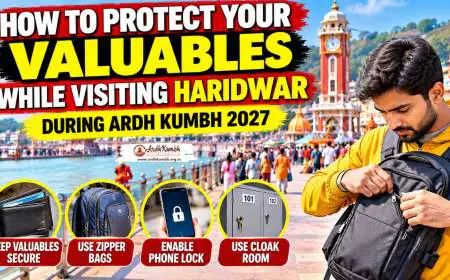













Essential Digital Safety Tips Every Ardh Kumbh 2027 Visitor Should Know
Stay safe online during Ardh Kumbh 2027 with these essential digital safety tips. Protect your data, avoid scams, secure devices, and enjoy a worry-free pilgrimage.

Essential Digital Safety Tips Every Ardh Kumbh 2027 Visitor Should Know
Quick Answer ⚡
Yes, digital safety is critical for every Ardh Kumbh 2027 visitor. With over 10 crore pilgrims expected, cybercriminals will target the massive gathering through fake QR codes, rogue public WiFi networks, SIM swap scams, phishing attacks, and AI-powered impersonation. Essential precautions include: avoiding public WiFi for sensitive transactions, installing official Kumbh Mela apps only from verified sources, using UPI with caution at temporary stalls, enabling two-factor authentication on all accounts, and keeping mobile devices secure in crowded areas. The Uttarakhand Police and cybercrime units will deploy special teams but individual vigilance is paramount. Save emergency numbers (112, local police) on speed dial and disable roaming to avoid excessive charges. For international visitors, use a local eSIM or international roaming plan with data limits. Always verify donation requests and never share OTPs – no legitimate organization will ask for them. With the right digital safety measures, you can focus on the spiritual experience without falling victim to cyber fraud.
At a Glance 🔎
| Digital Risk | Impact | Prevention Strategy |
|---|---|---|
| Fake QR Codes | Financial loss, data theft | Scan only at official stalls |
| Rogue Public WiFi | Credential theft, malware | Use mobile data; avoid sensitive transactions |
| SIM Swap Scams | Account takeover | Enable 2FA; report immediately if disconnected |
| Phishing Attacks | Identity theft, financial fraud | Verify sender; never share OTPs |
| AI Voice/Video Impersonation | Emotional/financial scams | Verify via independent channel |
| Fake Kumbh Apps | Data theft, malware | Download only from official app stores |
| Device Theft | Data loss, identity theft | Keep devices secure, enable tracking |
The Digital Threat Landscape at Ardh Kumbh 2027 🎯
The Ardh Kumbh Mela is not just a spiritual gathering – it's one of the largest human congregations on Earth. Wherever millions gather, cybercriminals follow.
Cybercriminals view the Kumbh Mela as a "target-rich environment" filled with people who are:
-
Distracted by spiritual activities and crowds
Trending Guides Now

Hidden Health Risks at Kumbh and How to Stay Safe
Read Guide →
Essential Government Advisories Every Ardh Kumbh 2027 Visitor Should Know
Read Guide →
Safe Ganga Snan Tips During Heavy Rain at Ardh Kumbh 2027
Read Guide →
Essential Monsoon Safety Tips for Ardh Kumbh 2027 Pilgrims
Read Guide →
Ardh Kumbh 2027 Dates (Official) - Haridwar Snan Schedule
Read Guide →
Dharamshala Stay During Ardh Kumbh: Free & Budget Guide
Read Guide →
Official Progress Report of Haridwar Ardh Kumbh 2027 Infrastructure Projects
Read Guide →
Where to Find 24-Hour Pharmacies in Haridwar During Ardh Kumbh 2027 Emergencies
Read Guide → -
Carrying digital payment apps
-
Using public WiFi networks
-
Sharing personal information openly
-
Often senior citizens with limited tech awareness
-
Carrying expensive smartphones
-
Making digital transactions at temporary stalls
A cybercrime workshop in Dehradun highlighted that visitors often forget basic cybersecurity practices while focusing on the spiritual experience. This creates opportunities for scammers to exploit weak passwords, unverified apps, and unsafe public WiFi.
Expert Advice ✨: "Anyone can be a victim of cyber fraud. Be a hard target. Don't click on random links. Secure your devices. Report quickly if scammed." – this is the mantra every Kumbh visitor should follow.
Public WiFi: The Hidden Danger 📶
Why Public WiFi is Risky
Public WiFi networks at the Kumbh Mela – whether at railway stations, bus stops, cafes, or temporary stalls – are hunting grounds for cybercriminals.
Risks Include:
-
Man-in-the-Middle Attacks: Hackers intercept your data between your device and the network.
-
Fake Hotspots: Rogue WiFi networks with legitimate-sounding names (e.g., "Kumbh_Free_WiFi") steal your credentials.
-
Malware Injection: Malicious code can be installed on your device without your knowledge.
-
Session Hijacking: Hackers take over your active sessions (banking, email, social media).
Safe Public WiFi Practices
-
Use Mobile Data: Your cellular network (4G/5G) is significantly more secure than public WiFi.
-
Avoid Sensitive Transactions: Never access banking apps, make UPI payments, or enter passwords on public WiFi.
-
Verify Official Networks: The mela administration may provide official WiFi – verify through official announcements.
-
Use VPN: If you must use public WiFi, use a trusted VPN to encrypt your traffic.
-
Forget Network After Use: Disable auto-connect and forget the network once you're done.
Pro Tip 🧭: Disable WiFi auto-connect on your phone. This prevents your device from automatically joining insecure networks without your knowledge.
QR Code Scams: The New Digital Menace 📱
QR codes are everywhere at the Kumbh Mela – for donations, payments, app downloads, and information access. But cybercriminals are exploiting them.
How QR Code Scams Work
Scammers place fake QR codes over legitimate ones or create their own on posters, donation boxes, and payment counters. When you scan the code:
-
You're redirected to a fake payment page that steals your UPI credentials
-
A malicious app is downloaded onto your phone
-
Your personal information is harvested
-
Your device gets infected with malware
Protect Yourself from QR Code Scams
-
Inspect QR Codes: Check for stickers or tampering. If a QR code looks like a sticker pasted over another, don't scan it.
-
Verify Destination: Before entering any information, check the URL or app that opens.
-
Use Official Payment Channels: Pay at designated donation counters and official stalls only.
-
Don't Trust Unsolicited QR Codes: Never scan codes sent by strangers, even if they claim to be from the mela administration.
-
Use Verified Apps: For donations, use the official Kumbh Mela app if one is available.
Local Insight 📍: The Uttarakhand Police will deploy special cybercrime awareness teams at the Kumbh Mela to educate pilgrims about QR code scams and other digital threats.
SIM Swap and SIM Cloning: Protect Your Mobile Identity 📱🔐
SIM swap scams are one of the most dangerous cyber frauds affecting Indian pilgrims. Here's how it works and how to protect yourself.
How SIM Swap Scams Work
Step 1: A scammer obtains your personal information (name, address, Aadhaar, phone number) through phishing or data breaches.
Step 2: The scammer impersonates you and convinces your mobile operator to issue a new SIM card for your number.
Step 3: Your SIM card is deactivated. The scammer now receives all calls, texts, and OTPs meant for you.
Step 4: Using OTPs sent to the new SIM, the scammer resets your banking passwords and drains your accounts.
Protect Yourself from SIM Swap Scams
-
Enable Two-Factor Authentication (2FA): Use authenticator apps (Google Authenticator, Microsoft Authenticator) instead of SMS-based OTPs where possible.
-
Be Alert to SIM Disconnection: If your phone suddenly loses network for no reason, call your provider immediately.
-
Set a SIM Swap PIN: Many operators allow you to set a unique PIN for SIM changes.
-
Limit Personal Information Sharing: Don't share Aadhaar number, PAN, or other sensitive data unless absolutely necessary.
-
Beware of Phishing Calls: Scammers posing as bank or telecom representatives will ask for OTPs or personal details. Never share OTPs with anyone.
Expert Advice ✨: "If your mobile network is suddenly disconnected without reason, it could be a SIM swap attempt. Immediately contact your service provider and your bank."
Phishing Attacks: Don't Take the Bait 🎣
Phishing is the most common cyber fraud technique, and the Kumbh Mela offers scammers a perfect opportunity.
Types of Phishing at Kumbh Mela
-
Email Phishing: Fake emails claiming to be from the mela administration, travel agencies, or Kumbh Mela organizers asking for personal information or payments.
-
SMS Phishing (Smishing): Text messages with links to fake websites or asking for personal information.
-
Voice Phishing (Vishing): Phone calls pretending to be from banks, telecom providers, or Kumbh Mela officials.
-
QR Code Phishing: Fake QR codes directing to malicious websites.
Protect Yourself from Phishing
-
Verify Sender: Check email addresses and phone numbers carefully. Official communications will come from verified sources.
-
Don't Click on Suspicious Links: Hover over links (on desktop) to see the actual URL before clicking.
-
Never Share OTPs: No legitimate organization will ask for your OTP over the phone, text, or email.
-
Use Official Channels: For payments, bookings, and information, use the official Kumbh Mela website or app.
-
Be Suspicious of Urgency: Scammers create urgency ("Your account will be blocked") to make you act without thinking.
AI-Powered Scams: The New Frontier 🤖
The rise of AI has made scams more sophisticated and harder to detect. AI-powered scams are an emerging threat at major events like the Kumbh Mela.
Types of AI Scams to Watch For
-
Deepfake Voice Scams: Scammers use AI voice cloning to impersonate a family member or friend, calling you to ask for money. The voice sounds exactly like your loved one.
-
AI-Generated Fake Videos: Scammers create videos of fake celebrity endorsements or promotions for Kumbh Mela services.
-
AI Chatbots: Fake customer service chatbots on websites or messaging apps ask for personal information.
-
AI-Powered Phishing: Generative AI creates highly convincing phishing emails and messages that mimic official communication.
Protect Yourself from AI Scams
-
Verify Through Independent Channels: If you receive an urgent call from a "family member" asking for money, call them back on their known number.
-
Be Skeptical: If something seems too good to be true or unusually urgent, it's likely a scam.
-
Don't Trust Voice Alone: Voice cloning is becoming increasingly sophisticated. If you're unsure, ask a question only the real person would know.
-
Check Official Sources: For any information about the Kumbh Mela, refer to the official Uttarakhand Tourism website or authorized apps.
Mobile Security: Protecting Your Device and Data 📱
Your smartphone is your digital lifeline during the Kumbh Mela – containing UPI apps, banking apps, contact information, and personal photos. Keeping it secure is essential.
Essential Mobile Security Measures
-
Set a Strong Screen Lock: Use a PIN, password, or biometric lock (fingerprint/face ID).
-
Enable Device Tracking: Activate "Find My Device" (Android) or "Find My" (iPhone) to locate, lock, or erase your phone if lost.
-
Enable Remote Wipe: Configure your device to allow remote data erasure if it's stolen.
-
Keep Software Updated: Install security updates as soon as they're available.
-
Disable Auto-Login: Don't save passwords for banking or email apps.
-
Install a Mobile Security App: A good antivirus and security app can block malicious links and apps.
Safe App Usage at Kumbh Mela
-
Download Official Apps Only: If the mela administration releases a mobile app, download it only from the official app store (Google Play Store or Apple App Store).
-
Check Permissions: Before installing any app, review the permissions it requests. A legitimate app doesn't need access to your contacts, location, or camera unless explicitly required.
-
Avoid Third-Party App Stores: Never download apps from third-party stores or websites – they often contain malware.
-
Update Apps: Keep apps updated for security patches.
Digital Payments: Secure Transactions at the Mela 💳
Digital payments are expected to dominate transactions at the Ardh Kumbh 2027. Here's how to keep your money safe.
Secure Digital Payment Tips
-
Use Trusted Payment Apps: Stick to well-known, trusted UPI apps (Google Pay, PhonePe, Paytm, BHIM).
-
Set Transaction Limits: Set daily limits for UPI and card transactions to minimize potential losses.
-
Check Payment Details: Before authorizing a transaction, verify the payee name and amount.
-
Use Official Payment Counters: For donations and payments, use designated payment counters at official stalls.
-
Monitor Bank Accounts: Keep an eye on your bank account for unauthorized transactions.
-
Enable SMS Alerts: Get real-time notifications for every transaction.
Important: Never Share OTP
-
OTP (One-Time Password) is the key to your financial accounts.
-
No legitimate organization – including banks, the mela administration, or police – will ever ask for your OTP over the phone, text, or email.
-
If someone asks for your OTP, it's a scam.
Pro Tip 🧭: Use UPI PIN instead of OTP for transactions whenever possible. UPI PIN is more secure and doesn't require receiving an OTP.
Social Media Safety: Share Wisely, Not Overshare 📱
Social media is a great way to share your Kumbh Mela experience, but oversharing can make you a target.
Safe Social Media Practices
-
Don't Share Live Location: Avoid sharing your real-time location, especially if you're alone or with family.
-
Be Careful with Photos: Think twice before posting photos of your valuables, hotel room number, or exact location.
-
Protect Personal Information: Don't share Aadhaar numbers, passport numbers, ticket details, or other sensitive information in posts.
-
Check Privacy Settings: Ensure your social media accounts are set to private if you don't want strangers seeing your posts.
-
Don't Accept Unknown Friend Requests: Scammers often create fake profiles to gather information.
Roaming Charges and Connectivity Options 📡
For Domestic Travelers
-
Check Your Plan: Ensure your mobile plan covers the Uttarakhand circle. Most Indian plans cover roaming within India without extra charges.
-
Data Consumption: The Kumbh Mela area may have network congestion. Use data judiciously.
-
App Downloads: Download the official Kumbh Mela app and offline maps before you travel to avoid data usage.
For International Travelers
-
Get a Local SIM: The most affordable option is to buy a local Indian SIM at the airport or in Haridwar.
-
International Roaming: If you prefer to use your home number, activate international roaming with a data limit.
-
Use eSIM: An eSIM is a convenient option for international visitors without needing a physical SIM.
-
Download Offline Maps: Save maps of Haridwar and the Kumbh Mela area offline to avoid data charges.
-
Emergency Backup: Keep a list of emergency contacts and police numbers written down in case your phone battery dies.
What to Do If You Become a Victim of Cyber Fraud 🆘
If you suspect you've been a victim of cyber fraud at the Ardh Kumbh 2027, act immediately.
Immediate Steps
-
Report to Cyber Cell: Call the national cybercrime reporting helpline (1930) or visit the official cybercrime reporting portal.
-
Contact Your Bank: Immediately notify your bank and freeze your accounts if you suspect financial fraud.
-
Save Evidence: Take screenshots of scam messages, transaction details, and communication.
-
Visit Local Police: Report the incident to the local police station at the Kumbh Mela.
-
Contact Your Mobile Provider: If you suspect SIM swap fraud, contact your mobile provider immediately.
Kumbh Mela Specific Help
-
The Uttarakhand Police will have cybercrime awareness and assistance booths at the Kumbh Mela.
-
Public announcement systems will broadcast digital safety alerts and contact numbers.
-
Save the local police emergency number (112) and the national cybercrime helpline (1930) on speed dial.
Digital Safety Checklist for Ardh Kumbh 2027 ✅
| Category | Action | Status |
|---|---|---|
| Device Security | Set screen lock, enable tracking, update software | ☐ |
| Network Use | Avoid public WiFi for sensitive transactions | ☐ |
| QR Codes | Verify before scanning; use official payment channels | ☐ |
| App Downloads | Download only from official app stores | ☐ |
| SIM Protection | Enable 2FA; be alert to SIM disconnection | ☐ |
| Phishing | Never share OTPs; verify sender | ☐ |
| Digital Payments | Set transaction limits; monitor accounts | ☐ |
| Social Media | Don't overshare location or personal details | ☐ |
| Roaming | Check plan; consider local SIM/eSIM | ☐ |
| Emergency Contacts | Save police (112), cybercrime helpline (1930) | ☐ |
| VPN | Install and use a trusted VPN if using public WiFi | ☐ |
Final Thought: Stay Spiritually Connected, Digitally Protected 🕉️🔒
The Ardh Kumbh 2027 is a once-in-a-lifetime spiritual experience. Don't let digital scams or cyber fraud ruin it.
With the right digital safety measures, you can protect yourself from phishing attacks, QR code scams, SIM swap frauds, and other cyber threats. The key is awareness and vigilance. Trust your instincts – if something feels off, it probably is.
Remember:
-
The mela administration won't ask for your OTP or password
-
Official communication will come through verified channels
-
Scammers prey on urgency and fear – stay calm and verify
Stay safe, stay protected, and enjoy the spiritual journey of a lifetime. The Ganga awaits, and with the right digital safety, your experience will be as secure as it is sacred. 🙏
Frequently Asked Questions